Key takeaway
Key takeaways
- Audience size and venue shape move the number more than anything else
- Hybrid Session: Single-session town halls and training with a remote audience
- Hybrid Conference: Multi-session conferences and investor meets with a substantial online audience
- Virtual Studio Production: Global town halls and flagship broadcasts with remote presenters in-set
- Insist on an itemised quote naming exact models and every crew role
What drives the price of hybrid event production
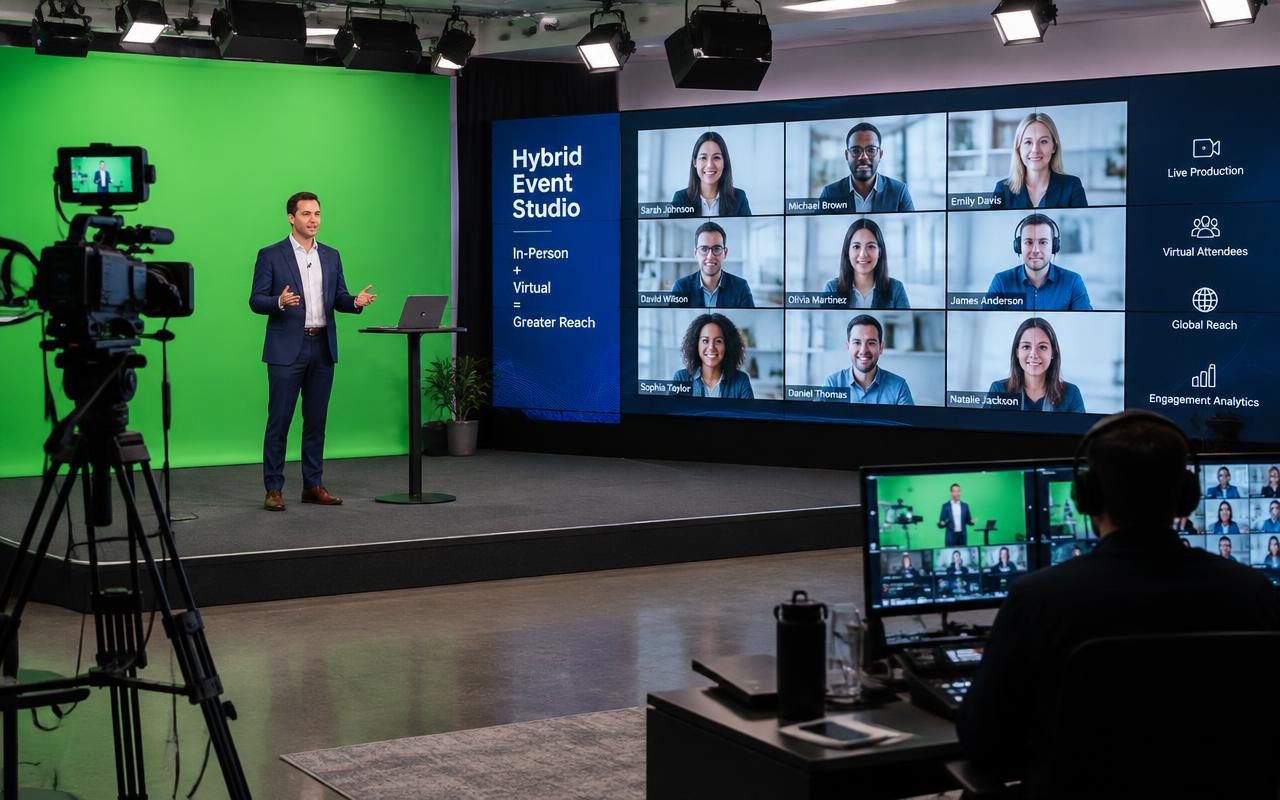
A hybrid event is two shows with one running order, and the hard part is that the two audiences have opposite needs. The room wants energy, pauses and eye contact; the online audience wants close framing, legible content, captions and something to do. We build a single production that serves both by designing the stage for camera first — key light on faces, a background that reads on screen, a lectern position that does not put the speaker in silhouette — then layering the in-room experience on top. The running order is marked with cues for both audiences, so a networking break in the room becomes a curated segment online rather than fifteen minutes of a holding slate.
Scope tiers
Hybrid Session
Single-session town halls and training with a remote audience
- Camera-first stage setup with three sources and a presentation feed
- Two remote speakers with mix-minus returns, pre-tested beforehand
- Moderated Q&A surfaced to a presenter-facing monitor
- Live captions on the stream output
- Hybrid producer, vision mixer and a remote contributor wrangler
Hybrid Conference
Multi-session conferences and investor meets with a substantial online audience
- Dual running order with online-only segments across the breaks
- Four to six cameras designed for both room and stream framing
- Up to six remote panellists with individual latency compensation
- Live polling, moderated Q&A and engagement analytics reporting
- Full crew with a dedicated online-audience producer
Virtual Studio Production
Global town halls and flagship broadcasts with remote presenters in-set
- Green screen or LED virtual studio with disguise-driven environments
- Remote presenters composited into the event's own set design
- Multi-region contribution with redundant paths per contributor
- Rehearsed show with pre-recorded fallbacks for every remote segment
- Technical producer, studio crew, graphics and an engagement desk
What your event size actually needs
| Scale | Guests | Recommended setup |
|---|---|---|
| Town hall | 50 – 200 in room, any online | Three cameras, two remote speakers, Q&A, captions, single producer |
| Departmental summit | 200 – 500 in room | Four cameras, four remote panellists, polls, online break content, engagement desk |
| Conference | 500 – 1,500 in room | Six cameras, dual running order, six remote contributors, per-session analytics |
| Investor or results meeting | 100 – 400 in room | Camera-first set, redundant contribution paths, moderated Q&A with compliance review |
| Global broadcast | Any | Virtual studio, multi-region contribution, pre-recorded fallbacks, full technical producer team |
What a real quote specifies
| Specification | Detail |
|---|---|
| Production approach | Designed for camera first, with the in-room experience layered on top |
| Remote contribution | Zoom, Teams or a dedicated contribution platform into the switcher |
| Return feed | Mix-minus programme return to every remote contributor |
| Latency handling | Video and audio delay compensation so on-stage conversation stays natural |
| Virtual studio | Green screen keying or LED background driven by disguise or Unreal Engine |
| Engagement tools | Live polls, moderated Q&A and chat surfaced to a presenter-facing monitor |
| Dual running order | Cue-marked for both audiences, including online-only break content |
| Captioning | Live captions or ASR-assisted captioning on the stream output |
| Contributor testing | Pre-tested on the actual platform, room and laptop, with a pre-recorded fallback held |
| Analytics | Attendance curve, poll response rate, question volume and drop-off points |
Where scope quietly expands
What can go wrong
How we prevent it
- What can go wrong
A remote speaker hears themselves delayed, stumbles and loses the thread entirely.
How we prevent itEvery remote contributor gets a true mix-minus return that excludes their own voice, built and proved on the actual path during the contributor test rather than on the day.
- What can go wrong
The room takes a networking break and the online audience stares at a holding slate for fifteen minutes.
How we prevent itOnline-only break content is designed into the running order — an interview, a sponsor segment, a studio chat — and crewed as a deliberate part of the show.
- What can go wrong
Questions from the online audience never reach the stage because the moderator is reading them on a phone.
How we prevent itAn engagement producer filters questions into a presenter-facing monitor, and the chair is briefed with a mechanism for taking an online question at a fixed point in each session.
- What can go wrong
Video latency puts the remote panellist two seconds behind the stage and the conversation becomes unusable.
How we prevent itThe latency budget is measured during contributor testing and compensated in the switcher, and the chair is briefed to hand off explicitly by name rather than expecting natural interruption.
How to get more value
Lock dates early in the October–March peak, combine services with one vendor so crew and transport are not duplicated, and schedule a single technical rehearsal rather than paying for idle build days. Get an itemised quote from Prime AV Solutions within 24 hours — call +91 93093 80958 or WhatsApp our producers.
Published 20 March 2026 by the Prime AV Solutions production team.