Key takeaway
Key takeaways
- T-4 weeks: Platform and destination planning
- T-3 weeks: Connectivity provisioning
- T-2 weeks: Graphics and run plan
- Show day −1: Build and load test
How live streaming & webcasting is actually delivered
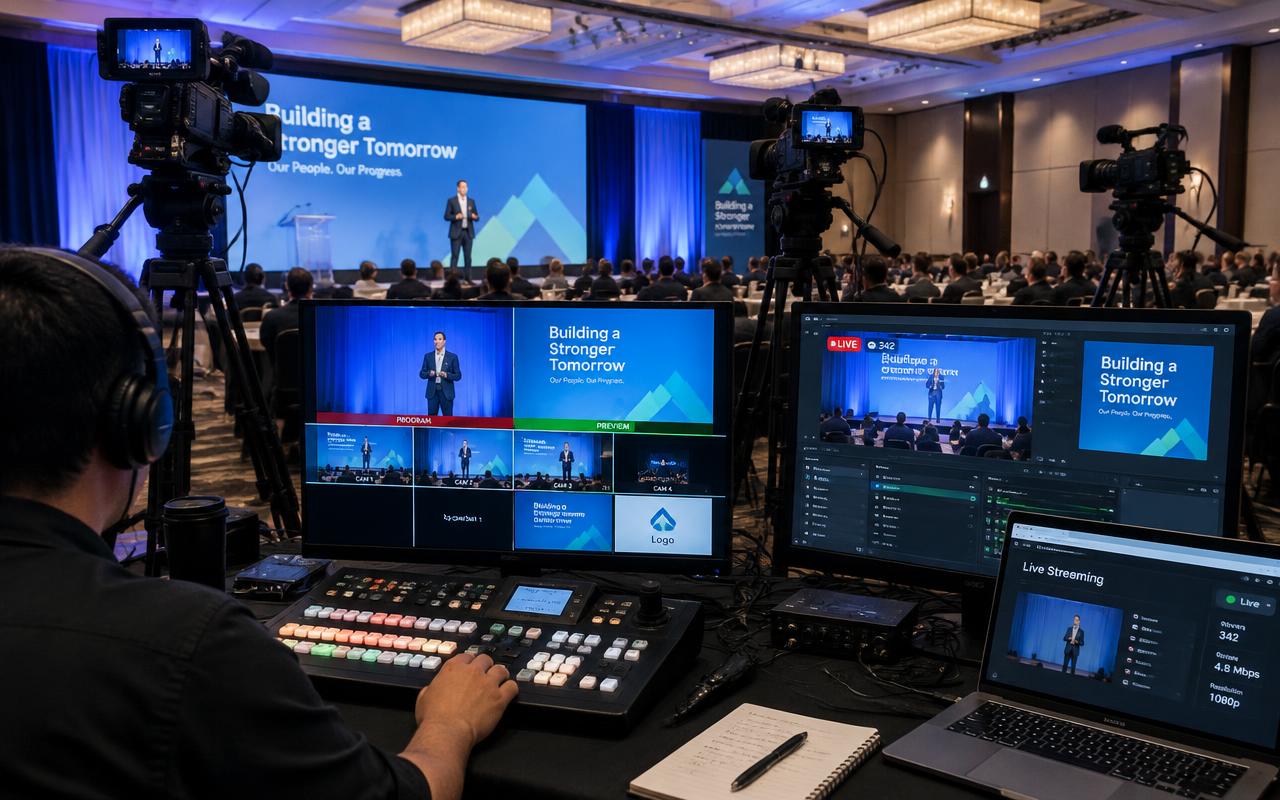
A live stream is a broadcast chain with a public failure mode, so it is engineered for redundancy end to end. Camera sources, presentation feeds and remote contributors arrive at a software or hardware switcher — vMix and TriCaster are the workhorses — where graphics, lower-thirds, holding slates and playback are composited into a programme output. Audio is taken as a clean mix from the audio console, not from a camera microphone, and matched to broadcast loudness rather than mixed by ear. The programme feed is then encoded and pushed to the platform, and a second encoder runs in parallel on an independent machine so an encoder crash is a switch rather than an outage.
From enquiry to load-out
- T-4 weeks
Platform and destination planning
Destinations, privacy model, embed requirements, registration gating and platform-side settings confirmed in writing.
- T-3 weeks
Connectivity provisioning
Leased line or venue circuit ordered and tested, carrier SIMs for bonding confirmed, static routes and firewall rules agreed.
- T-2 weeks
Graphics and run plan
Graphics package built, speaker names and titles verified, holding slates prepared and the running order marked for stream cues.
- Show day −1
Build and load test
Full chain built, bitrate tested, failover proved by pulling the primary path, and a private test stream reviewed end to end.
- Show day, T-2 hours
Pre-show and go live
Holding slate live early, a rehearsal cut recorded, audio loudness checked and the public stream verified on an external device.
- Show day +2 to +48 hours
Wrap and delivery
Stream ended cleanly, local recordings offloaded, clips and session files delivered against the agreed schedule.
Who is on site
- Technical producer
Owns the stream plan, the destinations, the platform settings and the escalation path if a platform itself fails.
- Vision mixer
Cuts the programme live with stream-appropriate framing and pacing, and holds the graphics and playback cues.
- Stream engineer
Manages encoders, bitrate, connectivity failover and the confidence monitor on the actual public stream.
- Graphics operator
Builds and fires lower-thirds, holding slates and agenda bugs, and keeps names and titles verified against the running order.
- Audio engineer for stream
Delivers a clean console mix matched to broadcast loudness, independent of what the room PA is doing.
- Camera operator
Frames for a viewer with no peripheral vision — tighter than feels natural in the room — and holds a shot through a cut.
What you should receive
Deliverables
- Full-quality local programme recording independent of the stream
- Per-session recordings cut to the running order
- Graphics package files as used, including lower-thirds and slates
- Stream health report covering bitrate, dropped frames and any failover event
- Platform analytics summary of concurrent and total viewers where available
- Short-form clips or a highlight edit where contracted
What we plan around
What can go wrong
How we prevent it
- What can go wrong
The venue Wi-Fi tested fine at 9 am and collapses when two thousand delegates arrive.
How we prevent itThe stream never runs on shared Wi-Fi. A wired leased line is primary, bonded cellular across multiple carriers is the backup, and the failover is proved by physically pulling the primary path during the build.
- What can go wrong
Audio is taken from a camera microphone and the stream sounds like a room recording.
How we prevent itA clean mix comes from the audio console on a dedicated output, metered to broadcast loudness, with the stream engineer monitoring it on headphones separately from the room.
- What can go wrong
The switcher programme output looks perfect while the public stream has been down for ten minutes.
How we prevent itA confidence monitor plays the actual public stream from an independent connection, so platform-side failures are visible immediately rather than reported by a viewer.
- What can go wrong
Full-screen slides run for twenty minutes and online viewers drop off.
How we prevent itContent is composited beside the speaker rather than cut full-screen for long stretches, and the vision mixer is briefed to cut more often than the room would require.
The detail that matters
Connectivity is where streams actually die. A leased line is the primary path where the venue has one, with a bonded cellular unit from LiveU or Teradek aggregating multiple carrier SIMs as the backup — bonding matters because a single carrier in a venue filling with two thousand phones will degrade exactly when the keynote starts. For 1080p50 we budget 8 to 12 Mbps of stable upstream with headroom, and we test under load rather than at an empty venue in the morning. SRT is preferred over RTMP for contribution across an unreliable network because it recovers lost packets, though the destination platform usually dictates the final protocol.
Start the conversation
Get an itemised quote from Prime AV Solutions within 24 hours — call +91 93093 80958 or WhatsApp our producers.
Published 30 March 2026 by the Prime AV Solutions production team.